Apple Watch
How to get medication reminders on Apple Watch
Your phone is not always in your hand, but your watch is on your wrist. DoseMate sends your doses to the watch, so it taps you when a dose is due and shows what to take.
Updated November 17, 2026 · Free on the App Store · iPhone, iPad and Apple Watch, iOS 15.6+
Why get reminders on your wrist
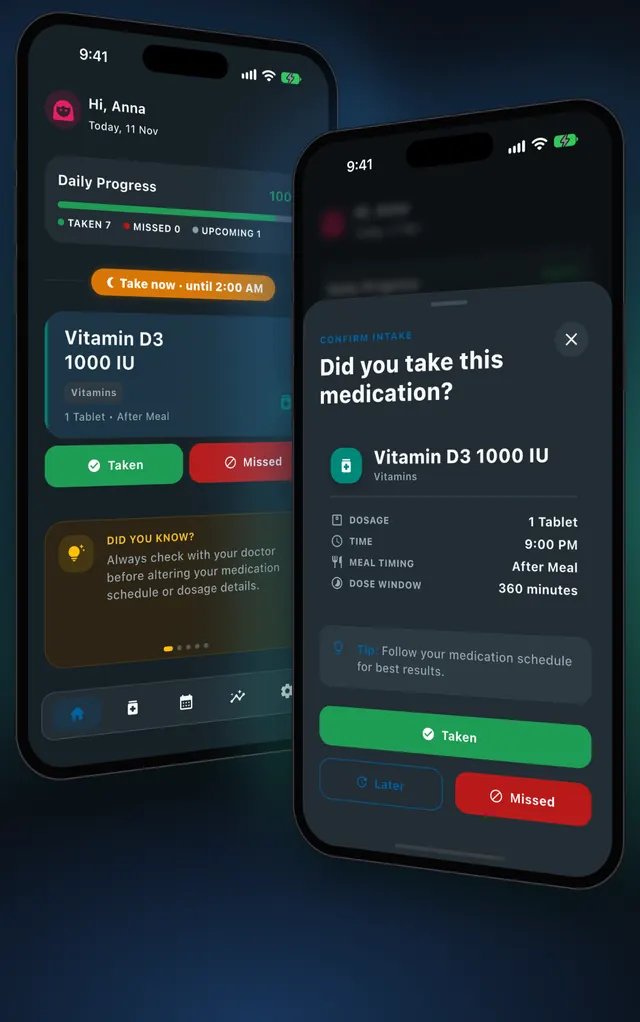
A reminder is easy to miss when the iPhone is in a bag, on the charger or in another room. DoseMate has an Apple Watch app. Your iPhone sends it your upcoming doses, and the watch alerts you at each dose time, shows the medicine and the dose, and tracks today's progress.
The watch needs watchOS 10 or later and an iPhone with DoseMate. An iPad cannot pair with an Apple Watch, so the watch app works only with DoseMate on an iPhone.
Set up DoseMate on Apple Watch step by step
- Set up your medicines on the iPhone first: How to set up a pill reminder on iPhone.
- In DoseMate on the iPhone, tap Settings, then under Sync tap Smartwatch Sync.
- Check the Watch Status card. It shows Paired, App Installed and Reachable. If it says Not Paired, pair your watch in the iPhone's Watch app. If it says Watch app not installed, tap Install App, or open the Watch app on your iPhone and tap Install next to DoseMate.
- Under Sync Plan, choose a Sync Window of 3, 7 or 14 days. DoseMate sends yesterday, today and that many days ahead. 7 days is the default.
- Tap Sync Now. The card shows Last Synced with the time.
- Open DoseMate on the watch. The first time, allow notifications so the watch can alert you.
- When a dose is due, the watch alerts you. Open the dose to see the medicine, the dose and any notes.
What the watch shows
The watch app has three pages:
| Page | What it shows |
|---|---|
| Today | The next group of doses, with the time, each medicine, the dose and notes. With Pro, every remaining dose of the day |
| Today's Progress | How many doses are Taken, Missed and Remaining, out of the Total for today |
| Settings | Enable Notifications, Haptics, the Dose Window, Last Synced and a Sync Now button |
Free and Pro on the watch
You see the list in Smartwatch Sync › Watch Features on the iPhone.
| Feature | Free | Pro |
|---|---|---|
| Dose alerts: dose alerts and the next dose | Yes | Yes |
| Today progress | Yes | Yes |
| Today timeline: every remaining dose of today | No | Yes |
| Watch actions: mark Taken or Missed on the watch and from its notifications | No | Yes |
Without Pro, the watch shows how many more doses are left today and the hint Unlock the full timeline in the iPhone app. There is nothing to buy on the watch: Pro is bought in the iPhone app and then works on the watch too. Without Pro you log your doses on the iPhone.
Tips
- Keep the watch in sync. After you change a prescription, open DoseMate on the watch or tap Sync Now on the iPhone. The watch only knows the days in your sync window.
- Away from your iPhone. The watch keeps the doses it already has. With Pro, a dose you mark on the watch reaches the iPhone when the two are in reach again.
- Taken or Missed only when due. Before a dose's time the watch shows Not time for this dose yet.
- Need a louder reminder? On iOS 26 or later, Pro can ring an alarm on the iPhone even in silent mode: Medication alarm that rings on silent.

DoseMate — Medication Tracker & Schedule
Free · No account · iPhone, iPad and Apple Watch
Frequently asked questions
Is the Apple Watch app free?
Yes. Dose alerts, your next dose and today's progress are free. The full Today timeline and marking doses Taken or Missed on the watch need Pro.
Which Apple Watch do I need?
An Apple Watch with watchOS 10 or later, paired with an iPhone that has DoseMate.
Can I use the watch with DoseMate on an iPad?
No. An iPad cannot pair with an Apple Watch, so Smartwatch Sync only appears in DoseMate on an iPhone.
Is there a DoseMate complication for the watch face?
No. DoseMate has no watch face complications. Open the app on the watch to see your doses.
The watch does not show my latest change. What should I do?
On the iPhone, open Smartwatch Sync and check that the watch is paired and the app is installed. Open DoseMate on the watch, then tap Sync Now on the iPhone or Sync Now in the watch's Settings.
Can I add or edit medicines on the watch?
No. You add and change prescriptions on the iPhone. The watch shows them and, with Pro, lets you log doses.