
DoseMate
A product by Nightaris
Medication Tracker & Schedule
Medication reminders, logged in one tap.
DoseMate reminds you at every dose time, shows what to take and how much, and keeps a clear record you can share with your doctor. For iPhone, iPad and Apple Watch.
Free to download · No account · Your medicines stay on your phone
Medicines on time, without the guesswork.
Every dose, on time
A reminder at each time you set, and with Pro an alarm that rings even when the phone is on silent.
A record you can trust
Taken or missed, every dose is kept, so you see how the week went and can show your doctor.
Yours alone
No account and no sign-in. Your medicines and history stay on your iPhone unless you turn on the encrypted backup.
Reminders
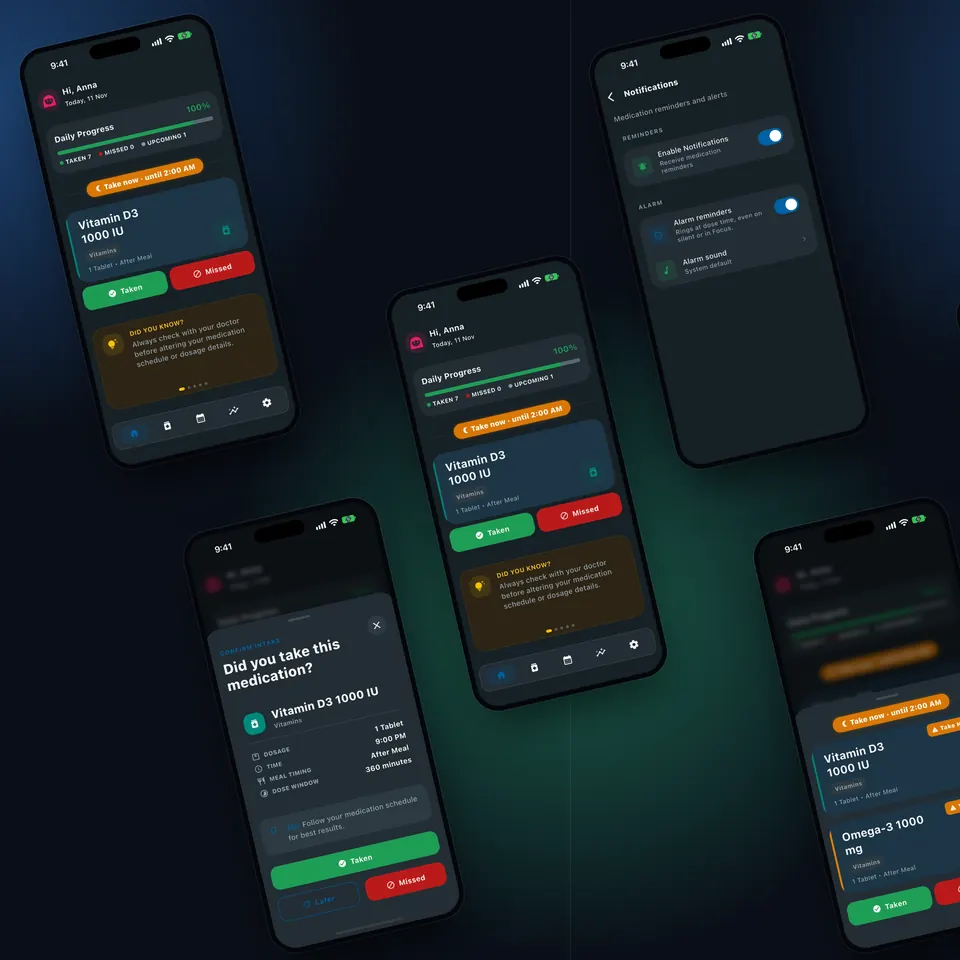
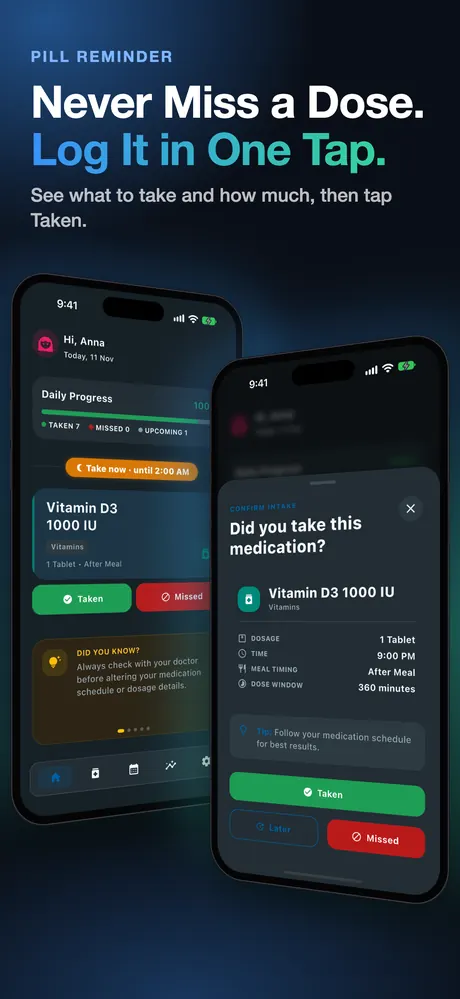
See what to take. Tap Taken.
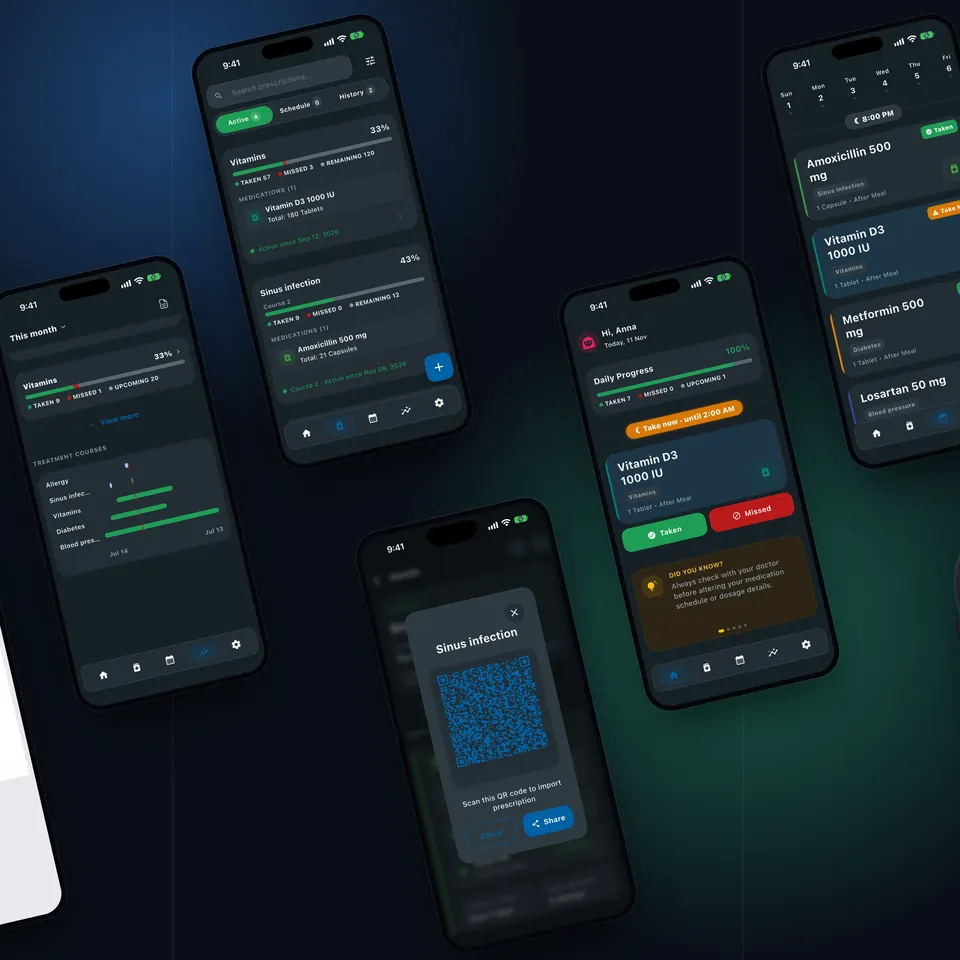
When a dose is due, DoseMate shows the medicine, the dose and whether to take it before or after a meal. One tap logs it.
- Doses due at the same time come in one reminder
- Log from the reminder, from Home or from the schedule
- A dose not logged in its window is counted as missed
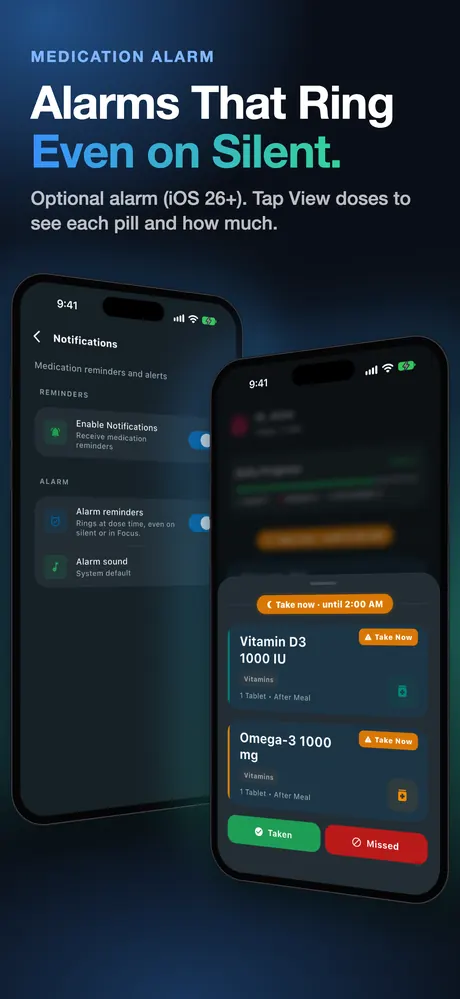
Alarm reminders
An alarm that rings even on silent.
On iOS 26 and later, Pro can turn each reminder into a real alarm. It rings through silent mode and Focus until you stop it.
- Choose the alarm sound
- View doses opens every medicine due and how much
- Ordinary reminders keep working on every iPhone
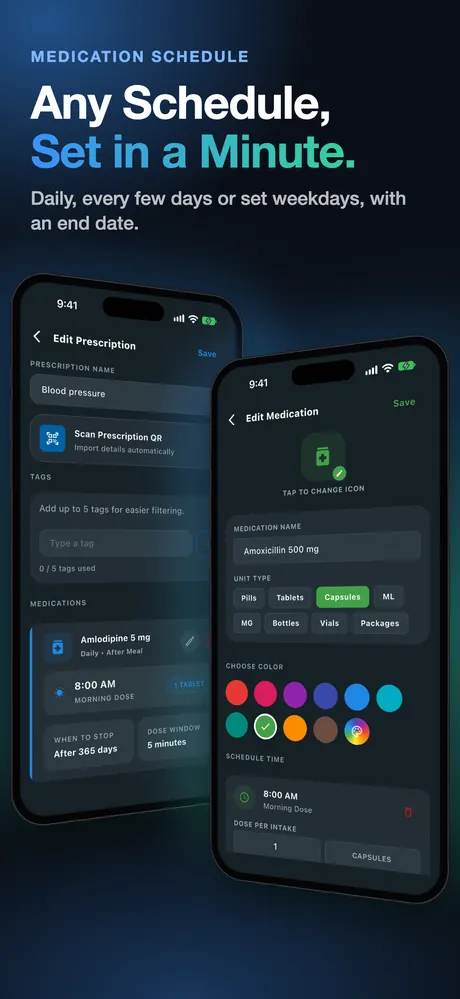
Schedules
Any schedule, set in a minute.
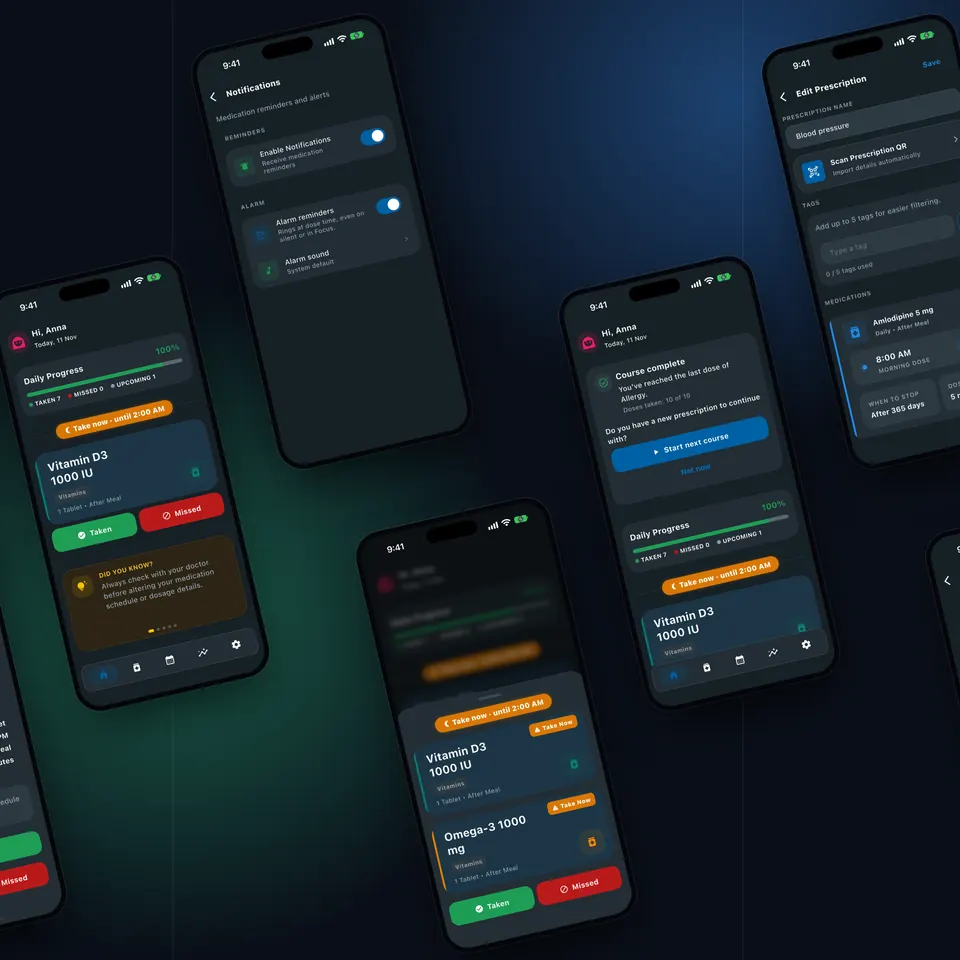
Add a prescription, its medicines and the times to take them. Every day, every few days or on set weekdays.
- A different dose at each time of day
- Before a meal, after a meal or at bedtime
- Stop after a number of days, doses or when a pack runs out
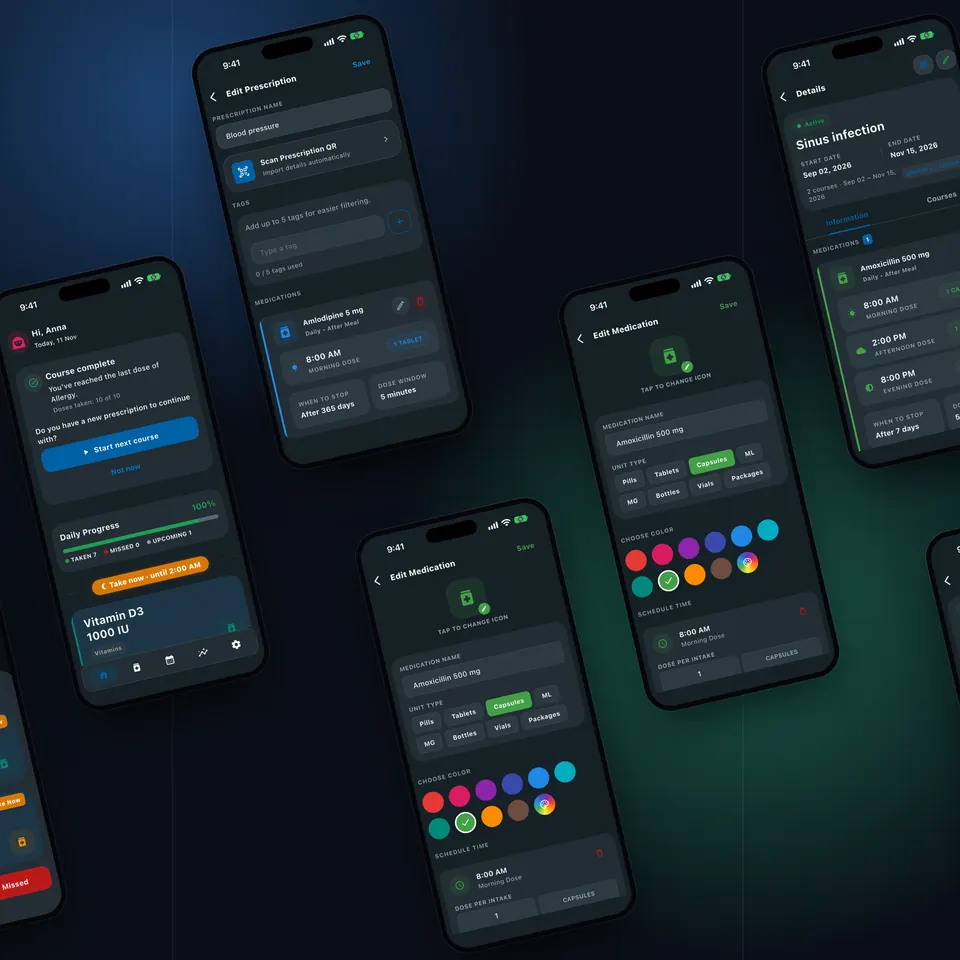
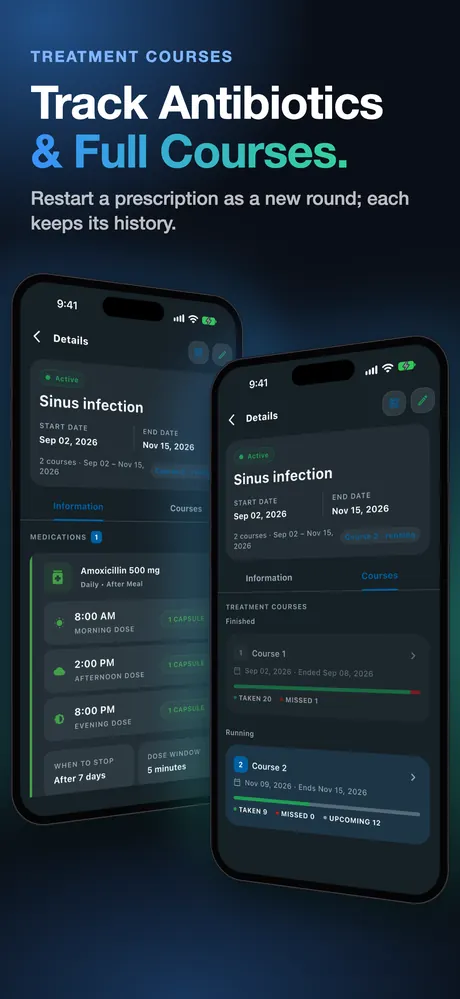
Treatment courses
Antibiotics and full courses.
Each run of a prescription is a course with its own dates and history. End it, restart it from today or plan the next one.
- Running, upcoming and finished courses in one place
- Recorded doses are kept when a course ends
- Compare how each course went
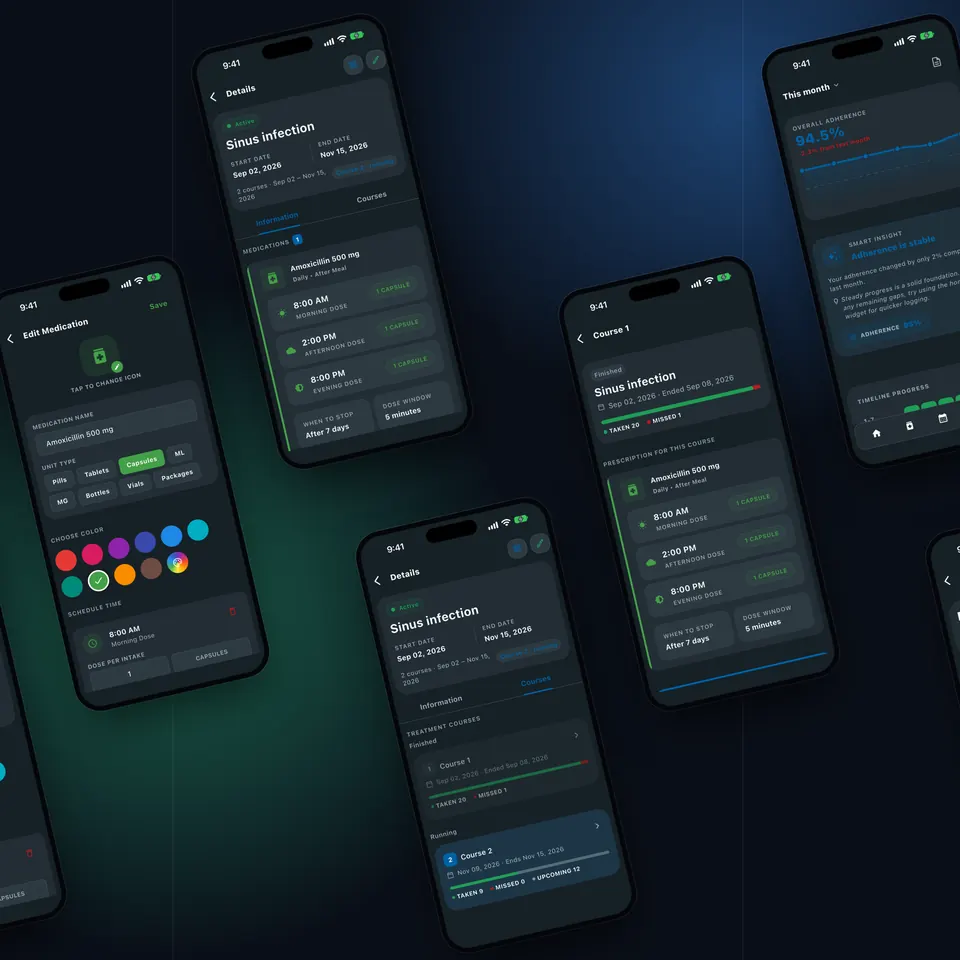
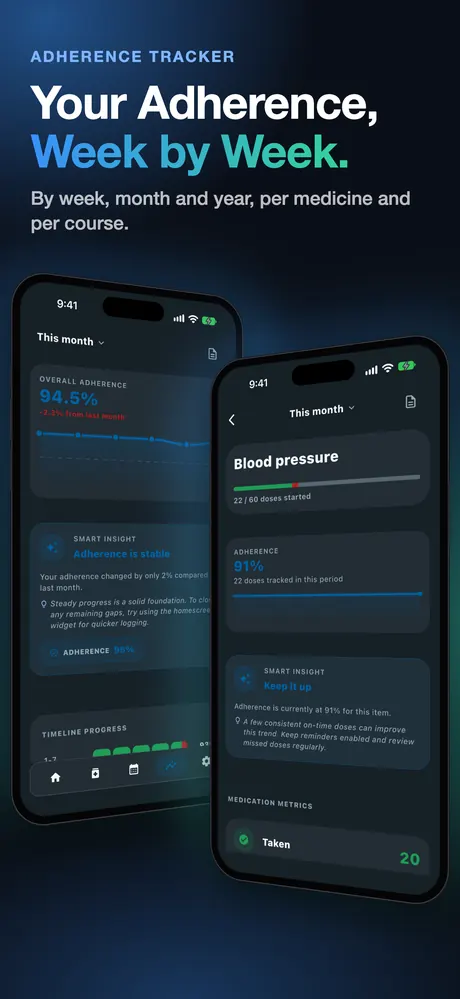
Adherence
How you are doing, week by week.
See the share of doses taken by week, month, year or any dates you choose, for all medicines or just one.
- Compared with the period before
- Taken, missed and upcoming for each medicine
- A short insight that says what changed
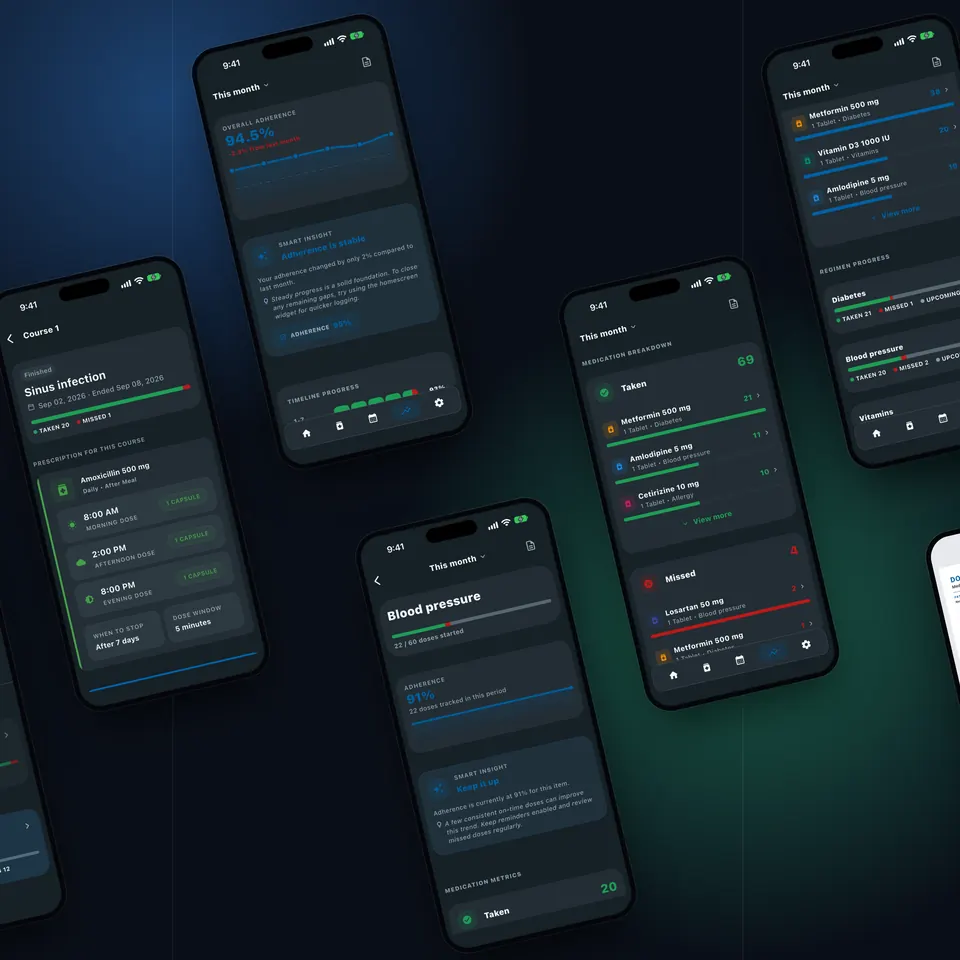
Doctor report
A PDF for your doctor.
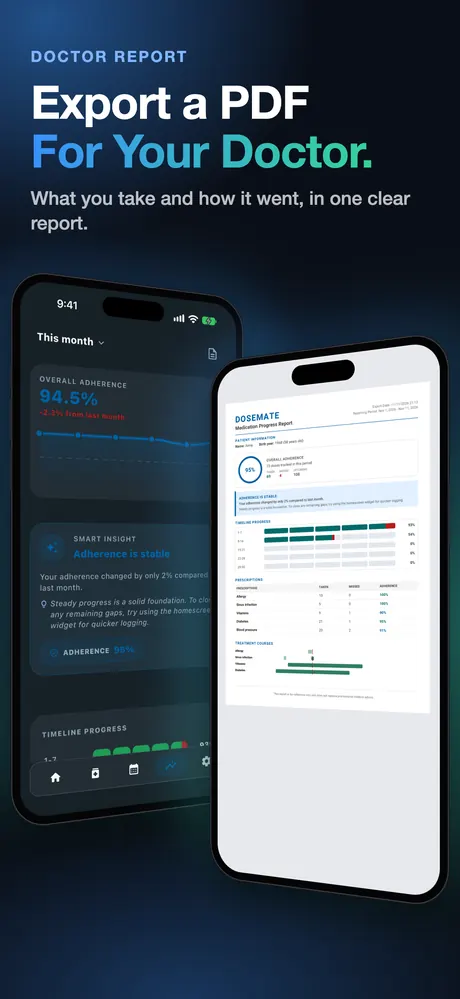
Export what you take and how it went as a clear A4 report, for the period you pick, and send it from the share sheet.
- Adherence, taken and missed doses
- Each prescription and its treatment timeline
- Included with Pro, or free after a short ad
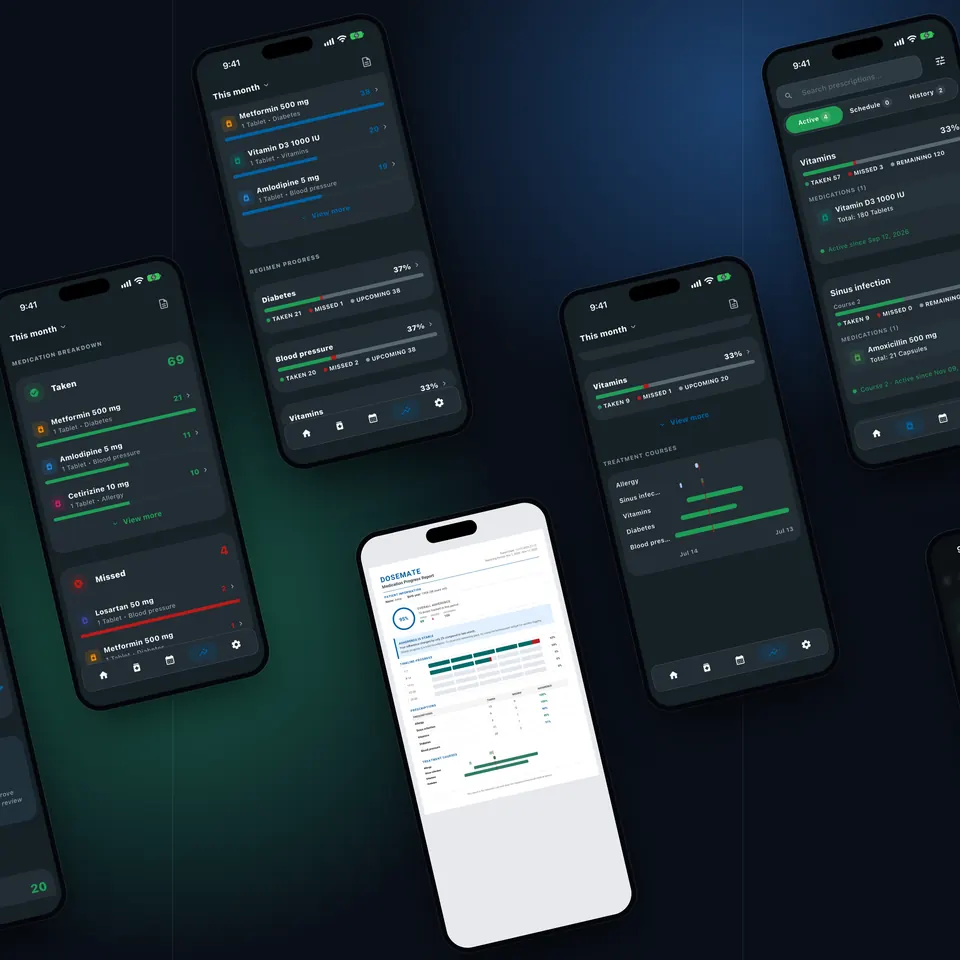
Sharing
Share a prescription with a QR code.
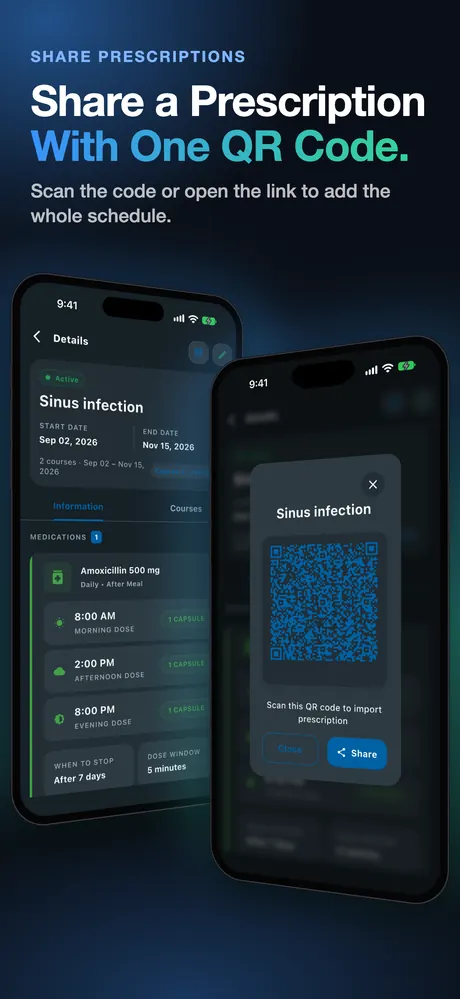
Send a prescription to someone you care for, or to your own new phone. They scan the code or open the link and save it.
- Medicines, times, doses and notes come along
- Your dose history is not shared
- The link works even before DoseMate is installed
Widget, calendar and Watch
Your doses at a glance.
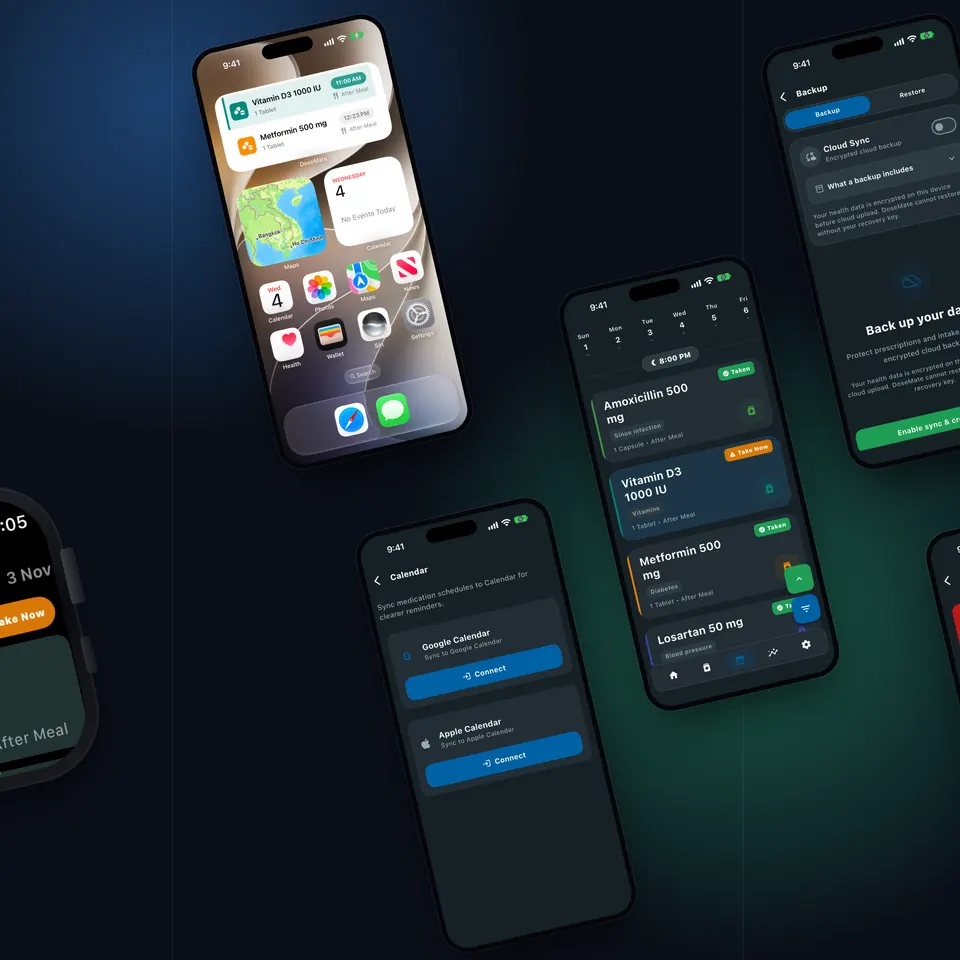
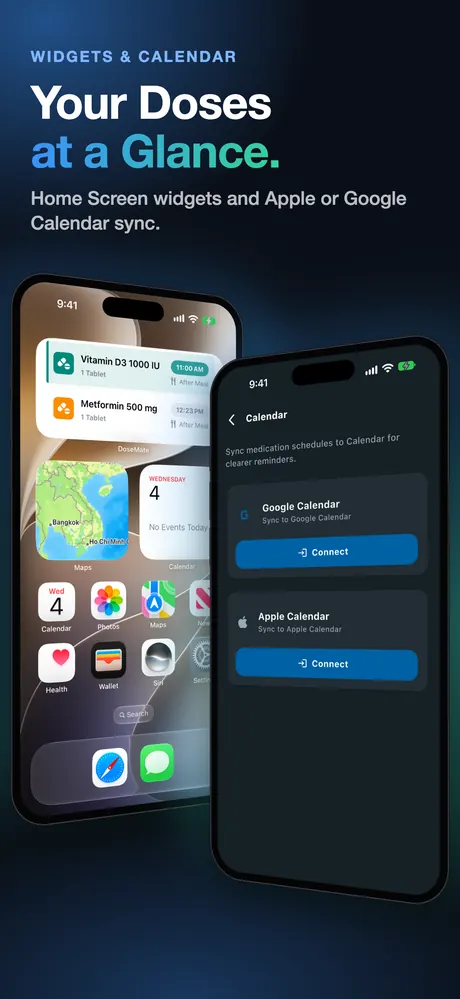
See the next dose on your Home Screen, on your Apple Watch and, with Pro, in Apple Calendar or Google Calendar.
- A Home Screen widget in three sizes
- Dose alerts on Apple Watch; with Pro, the whole day and logging from the wrist
- Calendar events with the medicine, dose and meal timing
Private by design
Your health data, locked and private.
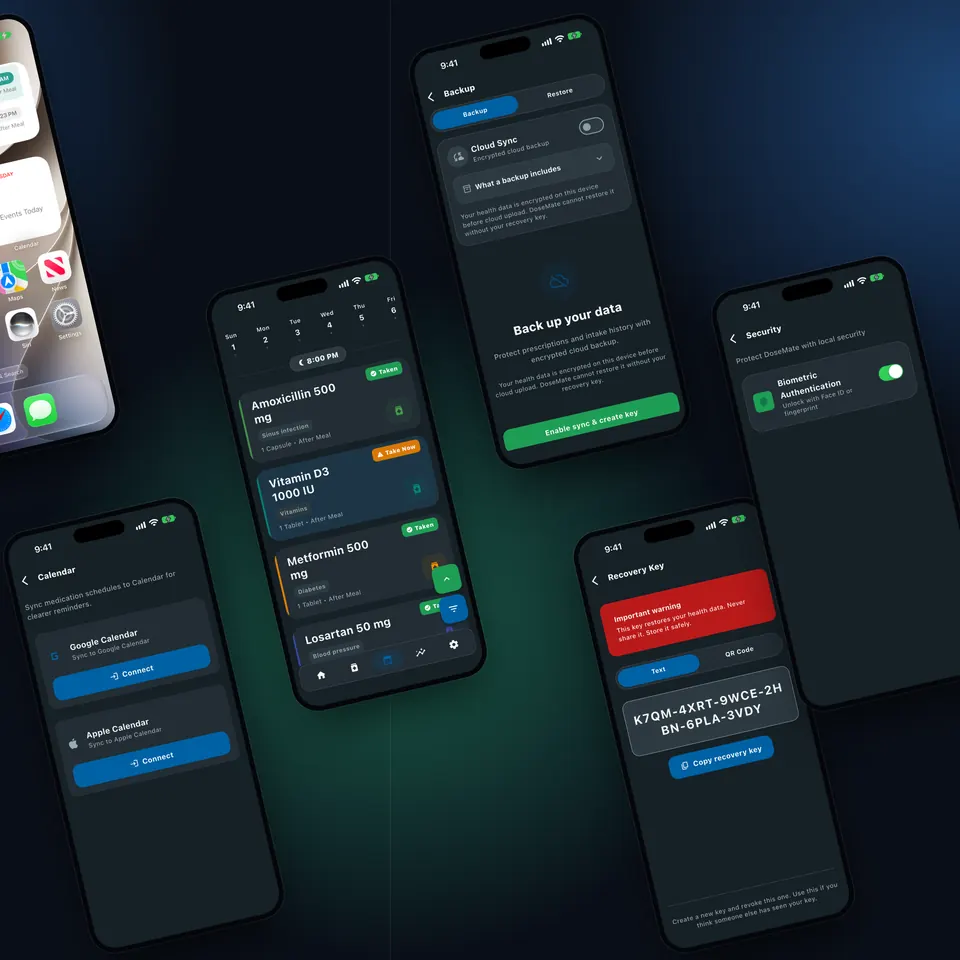
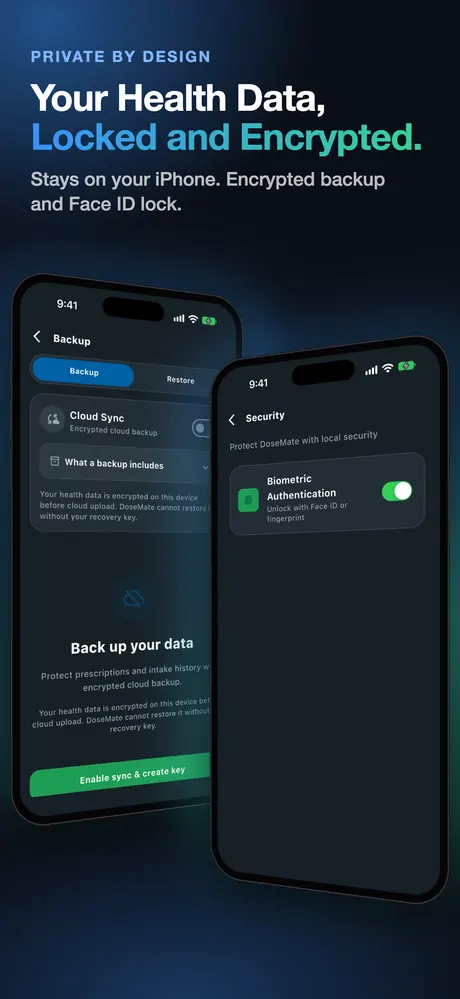
There is no account. Lock DoseMate with Face ID, and with Pro keep an end-to-end encrypted backup that only your recovery key opens.
- Face ID or Touch ID lock, free
- Backup encrypted on your phone before it is uploaded
- Restore on a new phone with your recovery key
A closer look
The App Store pictures, as they appear on your iPhone.
Private by design.
DoseMate needs no account. Your medicines and dose history live on your iPhone.
- No sign-in, no email, no account to create
- Prescriptions and dose history are stored on your device
- The optional backup is encrypted on your phone; we cannot read it
- The free version shows ads; the privacy policy says what they and our statistics use
Questions & answers
Is DoseMate free?
Yes. Reminders, logging, schedules, courses, statistics, sharing and the widget are free, with ads, for one active prescription (two more, each after a short ad). Pro is optional: a monthly or annual subscription or a one-time Lifetime purchase.
Will the reminder ring if my iPhone is on silent?
An ordinary reminder follows your silent and Focus settings. With Pro on iOS 26 or later, turn on Alarm reminders and each dose rings as an alarm, even on silent.
Do I need an account?
No. There is no sign-in. Your medicines and dose history stay on your iPhone, and the encrypted backup, if you turn it on, is opened only by your recovery key.
Can I share my medicines with family or a carer?
Yes. Open a prescription and tap the QR code. The other person scans it or opens the link, and the prescription is added to their DoseMate. Your dose history stays with you.
Does DoseMate work on Apple Watch? Is it free?
Yes. The watch alerts you at each dose and shows the next dose and today's progress for free. With Pro it shows the whole day and you can log Taken or Missed on the watch. How it works
Does DoseMate show ads? What does it collect?
The free version shows ads; Pro has none. DoseMate sends anonymous usage statistics and crash reports, never your medicines or dose history. The privacy policy lists everything.
Can I give my doctor a report?
Yes. On Stats, choose the period and tap the document icon. DoseMate makes an A4 PDF with your adherence, taken and missed doses and each prescription.
Which devices does it run on?
iPhone and iPad with iOS 15.6 or later, and Apple Watch with watchOS 10 or later, paired with an iPhone (not with iPad). On iPad and the open iPhone Duo every tab uses two columns. Alarm reminders need iOS 26.
Ready to stay on track?
Download DoseMate, add your first prescription and get your next reminder on time.
Download on theApp Store