Export PDF
How to export a medication log PDF for your doctor
Your doctor asks how the last month went. Instead of guessing, send a clear A4 report of the doses you took and missed, made from the record DoseMate already keeps.
Updated November 17, 2026 · Free on the App Store · iPhone, iPad and Apple Watch, iOS 15.6+
Why bring a medication log
At an appointment it is hard to remember how many doses you missed, or when. A written record helps your doctor or pharmacist see whether a treatment is working as planned.
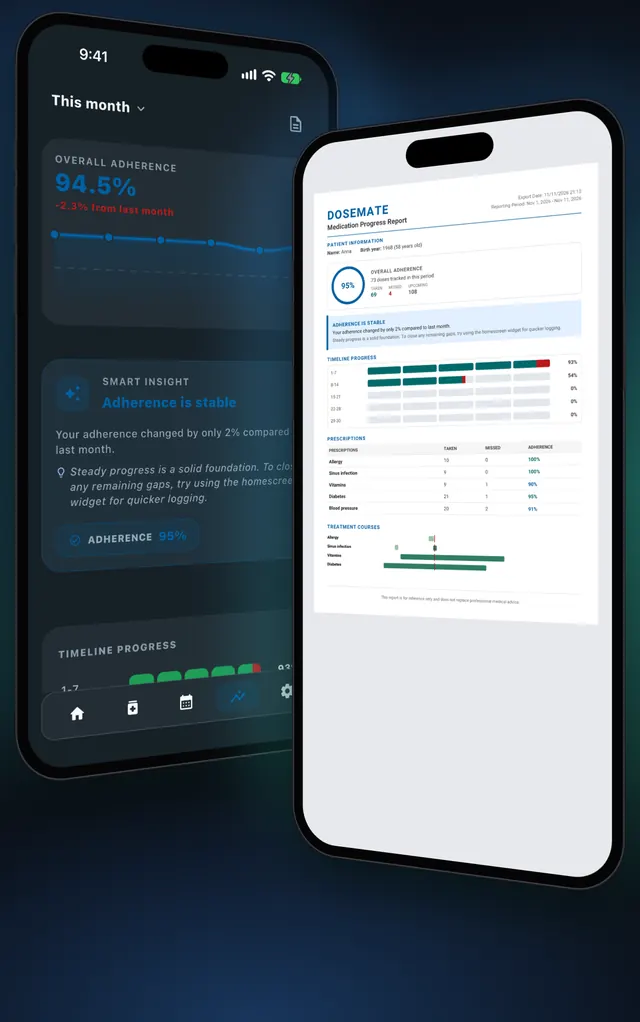
DoseMate keeps every dose you log as taken or missed. The PDF report turns that record into a few A4 pages for the period you choose, ready to email, print or show on screen.
What the report contains
| Part | What it shows |
|---|---|
| Medication Progress Report | The export date and the period |
| Patient Information | The name from your profile, birth year and age |
| Adherence | Overall adherence, and doses taken, missed and upcoming |
| Smart Insight | A short note on what changed, worked out on your iPhone |
| Treatment | A timeline of your treatments and a table of prescriptions |
| Medicines | Figures for each medication |
| Courses | Compare courses, in the report of one prescription with two or more courses |
Every report ends with this note: "This report is for reference only and does not replace professional medical advice."
Export the report, step by step
- Tap the Stats tab.
- Tap the period at the top and choose This week, This month, This year, Lifetime or Custom range. The report covers this period.
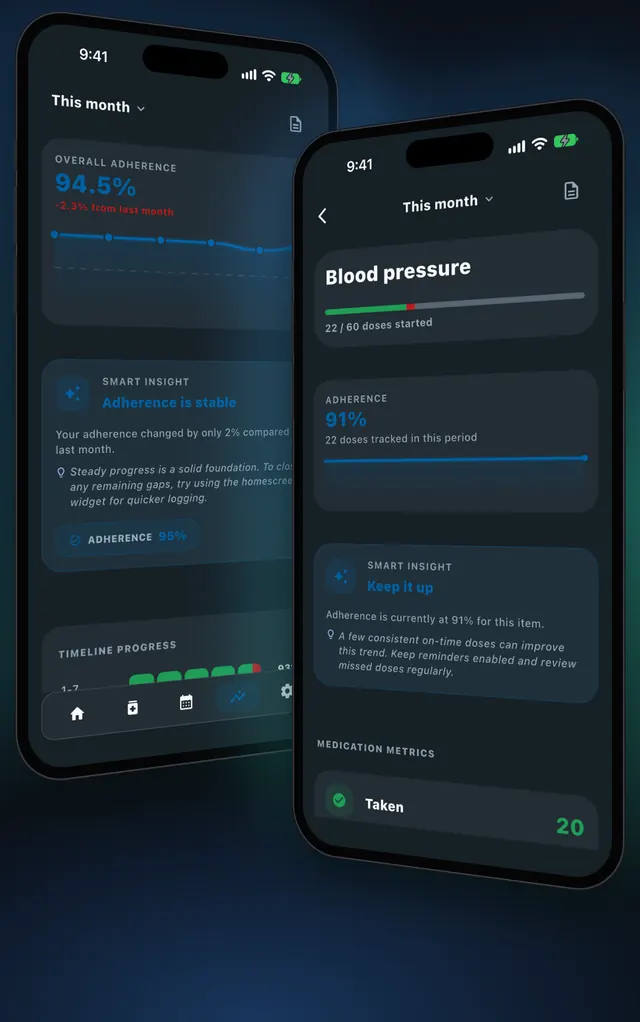
- Tap the document icon (Export PDF) at the top right.
- On the free plan, tap Watch ad to unlock and watch a short ad. With Pro, the report is made straight away.
- The share sheet opens with the PDF. Choose Mail or Messages to send it, Save to Files to keep it, or Print.
A report for one prescription or one medicine
- On Stats, choose the period.
- Under Regimen Progress, tap a prescription. For one medicine, tap it under Medication Metrics.
- Tap the document icon at the top right, then share the PDF as above.
Tips
- Fill in your profile first. The name and birth year in the report come from the profile card at the top of Settings.
- Pick the period since your last visit. Custom range lets you choose the exact dates.
- Log doses as you go. The report only knows the doses you marked: How to set up a pill reminder.
- Compare courses. For an antibiotic taken more than once, export the prescription's report: Track an antibiotic course.

DoseMate — Medication Tracker & Schedule
Free · No account · iPhone, iPad and Apple Watch
Frequently asked questions
Is the PDF report free?
Yes, after a short ad each time you export. With Pro there is no ad.
Can I send the report straight to my doctor from DoseMate?
DoseMate opens the iOS share sheet. From there you send it by Mail, Messages or any other app you use, or save it to Files. DoseMate does not connect to any clinic or health record system.
What if I forgot to log some doses?
A dose not logged by the end of its dose window counts as missed. Tap the dose on Schedule (or on Home for today) and correct it before you export.
Does the report give medical advice?
No. It shows the record you kept. Your doctor or pharmacist reads it and decides what it means for your treatment.
Can I export to Excel or CSV?
No. The report is a PDF only.